Movie Theater Ticket System
An expanded web rebuild of an academic C# desktop project: a full-stack movie ticketing app with live seat maps, timed seat holds, simulated checkout, and an admin dashboard.
- C#
- ASP.NET Core
- Entity Framework Core
- SQLite
- SignalR
- React
- TypeScript
- Tailwind CSS
- xUnit
- Vitest
- GitHub Actions
- Docker
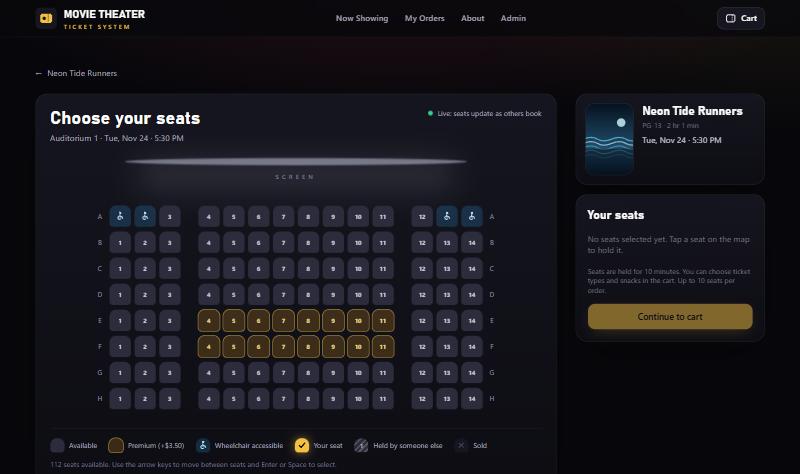
Overview
The original was a C# desktop application, built for a class, that took a customer from choosing a movie to booking seats and checking out. This is an expanded portfolio rebuild of that project as a web app, not the original coursework submission. All movies are fictional and every payment is simulated.
Problem
Two customers can try to buy the same seat at the same moment, and every price has to be trustworthy even though the browser can't be trusted.
Solution
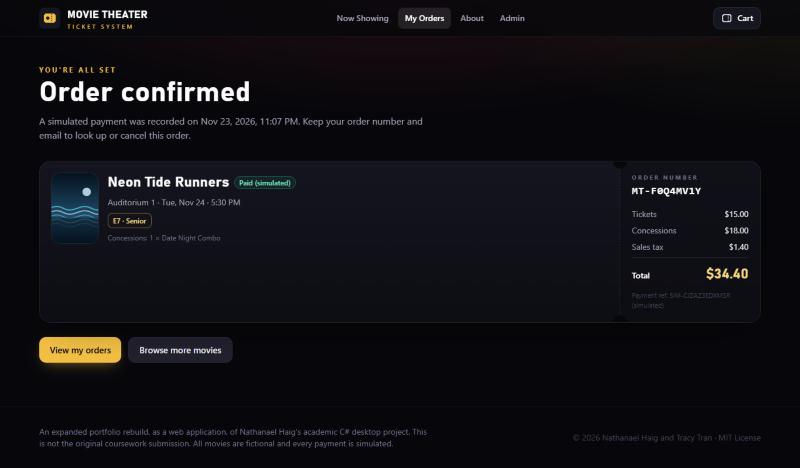
Seats are held for 10 minutes while a customer checks out, and unique database indexes plus transactions make sure exactly one booking wins a race. Prices are calculated only on the server. SignalR pushes seat changes to everyone viewing the same screening, so a seat someone else holds is disabled without a reload.
Key features
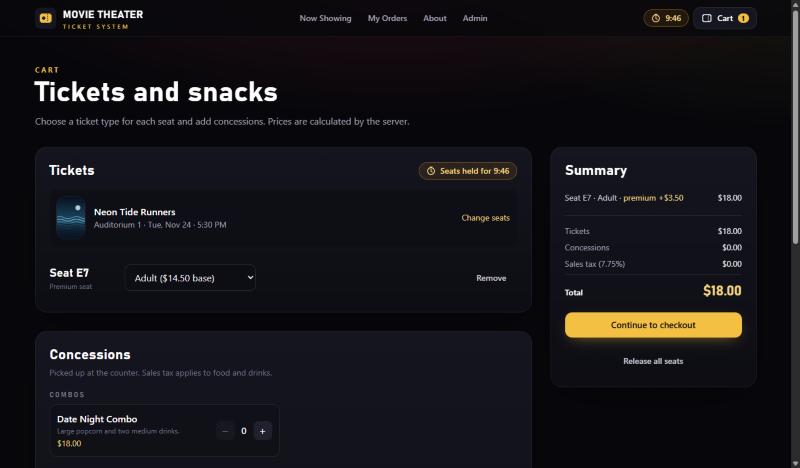
- The original project's ticket and concession pricing (ticket types, matinee discount, premium seats, sales tax) runs as a server-side C# module covered by 25 unit tests.
- Transactions and unique indexes prevent double-booking, shown by a test that sends 12 simultaneous requests for one seat.
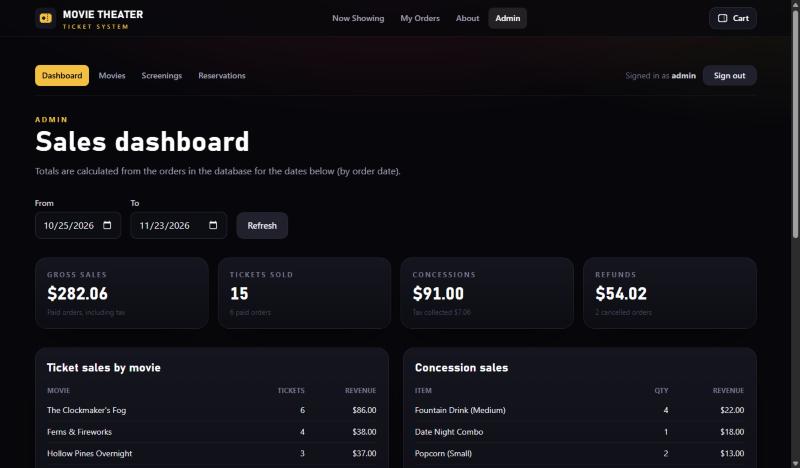
- A keyboard-accessible React and TypeScript seat map with live SignalR updates, plus a cookie-protected admin dashboard for movies, screenings, reservations, and sales.
Architecture
- src/MovieTheater.Api/: ASP.NET Core with thin controllers, services for booking, seat holds, orders, and reports, a PriceCalculator, EF Core migrations, and a SignalR hub for seat updates.
- client/: React, TypeScript, Vite, and Tailwind CSS. Its production build is served by the API, so the whole app runs as one service.
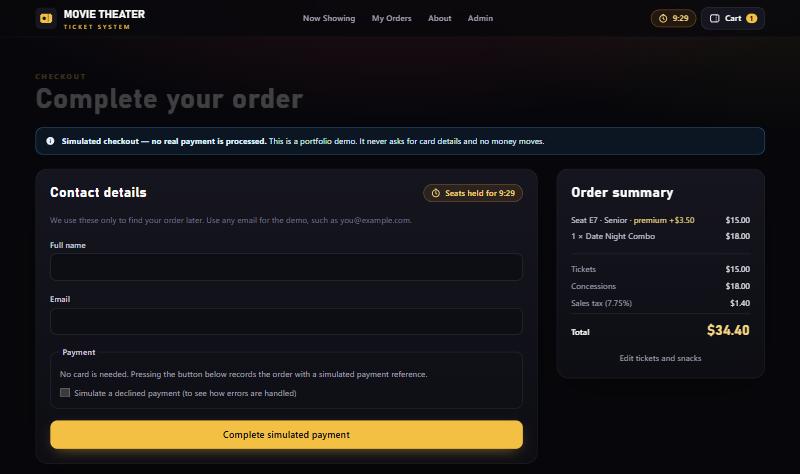
- Checkout is simulated and never asks for card details. The admin area uses a cookie sign-in with a rate-limited login.
- One Docker image, hosted free on Render with a /healthz health check.
Try it or install it
Try the live demo: no install needed. The first visit after a quiet period takes about 50 seconds while it wakes.
Run it locally: install the .NET 10 SDK and Node.js 22.22 or later, then restore and start the app from apps/movie-theater-ticket-system.
dotnet restore MovieTheater.slnx npm ci --prefix client dotnet run --project src/MovieTheater.ApiThe README covers the client build, the demo admin password setting, and the test commands.
Testing
- 136 xUnit tests: 46 unit tests (25 of them for ticket and concession pricing) and 90 integration tests that run the real API against real SQLite files.
- A concurrency test sends 12 booking requests for the same seat at the same moment, and exactly one succeeds.
- 48 Vitest tests for the React client, plus linting and TypeScript type-checking.
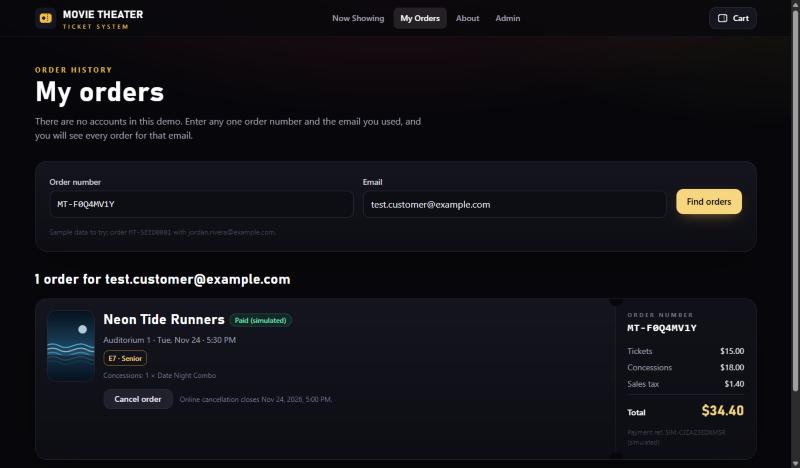
- Checked by hand in the browser: live seat updates between two customers in separate browsers, cart totals matching the server, simulated checkout, order lookup and cancellation, the admin dashboard, and the seat map on a phone.
- On the hosted app, holding a seat from a second cart changed it to "held by another customer" on an open seat map without a reload.
Screenshots & diagrams
(opens full size in a new tab)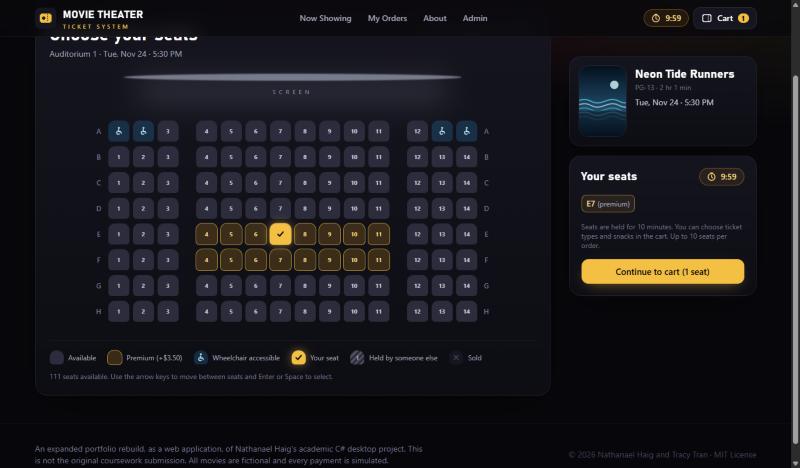 (opens full size in a new tab)
 (opens full size in a new tab)
 (opens full size in a new tab)
 (opens full size in a new tab)
 (opens full size in a new tab)
 (opens full size in a new tab)
Limitations
- Payments are simulated: there are no card fields and no payment provider.
- One shared demo admin account, not per-user accounts.
- Render's free plan puts the demo to sleep after 15 minutes idle (the next visit takes about 50 seconds), and the demo data resets on every restart.
Who did what
- Original coursework: Nathanael Haig built the original C# desktop ticketing app for a class. That version isn't included here.
- This web rebuild: a portfolio project built by Nathanael Haig, reusing the original's pricing rules.